
Most surge damage happens when the power returns, not when the lightning lands. A protector is a part with a lifespan, not a permanent guarantee against weather. The strike is brief; the switching that follows is what kills routers, televisions and control boards. Protection is therefore a sequence problem as much as a device problem, and the sequence is the part people skip. The wait costs nothing and does most of the work, because a surge that arrives with the returning power has nowhere to go if nothing at all is plugged in yet. This article sets out to cover what to unplug, what to install and how to bring loads back.
What to Unplug
High-Value Devices
Computers, televisions, consoles and anything with a motor and a circuit board are worth unplugging. A surge protector reduces risk; pulling the plug removes it. Do this before the storm arrives rather than when the lights flicker, because the flicker is already the event. Ten minutes of work protects a decade of purchases. Pull the plugs rather than switching the sockets off, because a switch can still pass a spike. Unplug the router and the television as well, because a surge travels through the coax and the phone line too. A power strip with a switch makes the unplugging routine a single movement, which means it actually happens.
Hardwired Appliances
Ovens, air conditioners and water heaters are hardwired and cannot be unplugged, which is what whole-home protection is for. For these, the practical step is to switch them off at the breaker during a storm, since an idle appliance is less exposed than a running one. A summer of scattered vs isolated thunderstorms is a summer of small surges, and the damage accumulates quietly in exactly these circuits. For hardwired equipment, the breaker is the switch, and it is worth knowing which one before the storm. Know where the breaker for the air conditioner sits, since that circuit is the one that suffers most in summer. A printed list of what to switch off taped inside a cupboard is the only version anyone reads.
Protection Devices
Whole-Home Surge Protectors
A unit at the panel protects everything downstream, including the hardwired appliances that cannot be unplugged. It is installed by an electrician, costs less than one large appliance, and it sacrifices itself in a large event. Check the rating in joules and the warranty that covers connected equipment, because those two numbers describe what it will actually do. A protector that has taken a hit should be replaced, since the indicator light is the only evidence it worked. A whole-home protector is a one-time cost and it protects appliances you cannot reach behind. Ask the electrician to label the circuits while the panel is open, and the next storm is easier.
Power Strips and Port Ratings
Not every strip protects anything. A cheap one is an extension lead with a switch; a surge strip has a joule rating and a light that tells you it is still working. Replace one that has taken a hit, or after any event that trips the breaker, since a spent protector looks identical to a working one. For USB devices, the charger’s own regulation matters more than the strip. Look for a joule rating above a thousand and a response time in nanoseconds, or the strip is decoration. A strip with a surge rating and a warranty is worth the extra ten dollars over one without either. Ask for the clamp voltage when you buy a strip, because that number is the one that matters in a storm.
Power-Up Sequence
Waiting Before Reconnecting
The grid does not come back cleanly. It stutters, drops and returns, and each return carries a spike. Wait ten or fifteen minutes after the lights are steady before reconnecting anything valuable, and unplug the sensitive items again if the power flickers during that window. Give the grid fifteen minutes of stability before trusting it with anything expensive. If the lights come back twice and go again, wait for the third return and then count to fifteen minutes. Keep one lamp on the grid and the rest on the battery, and you can see when the supply is genuinely back. A plug-in lamp is the cheapest voltage tester you own, and it tells you more than a meter in a drawer.
Bringing Loads Back in Stages
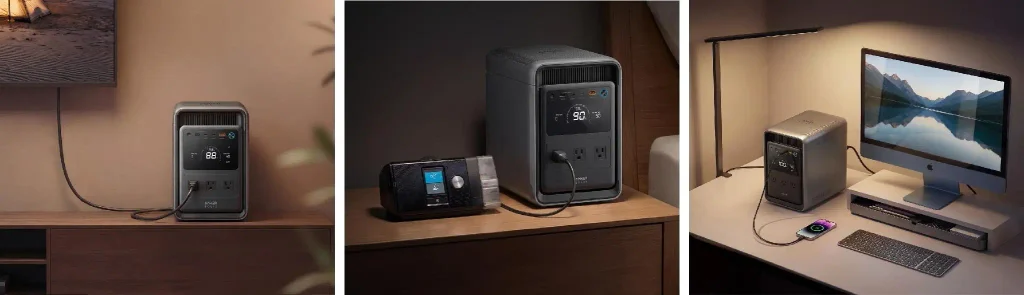
Switch the loads back one at a time rather than all at once: fridge, router, then the small electronics. Doing it in stages shows which circuit is unhappy before everything is connected to it. Listen for a compressor that struggles to start, because that is the supply still settling. A battery makes the staging easier: the Anker SOLIX S2000 holds 2,010Wh, enough for the fridge, the router and the lights while you wait to see whether the grid has actually settled. Write the order on a card, tape it inside the panel door, and label the plugs as they go back in, so the next outage starts from a known position.
Conclusion
The vulnerable moment is rarely the strike itself; it is the switching back on. Unplug what matters, install what protects the rest, and return the load in stages, and a storm costs you an evening rather than a television. The strike is brief; the switching is where the money is lost. The strike is brief, the switch-on is not, and the fifteen minutes you wait afterwards is the cheapest insurance in the house. Unplug what matters, protect the rest and bring the load back slowly, because it costs nothing to wait. And it costs nothing.
Also Read
- https://bestpickuplins.com/usb-hub-vs-usb-c-docking-station-which-one-is-right-for-your-setup/
https://bestpickuplins.com/budget-audiophile-real-hi-fi-from-a-headphone-amp-without-the-overspending/
https://bestpickuplins.com/hiss-crackle-and-weak-sound-signs-you-need-a-headphone-dac/